
Commercial, Technology, Video Surveillance
Critical Axis Camera Vulnerability (CVE-2026-119618): What to Do Now, and Why Firmware Updates Matter

Bottom line: Axis Communications has warned about a critical flaw, CVE-2026-119618, that can let an attacker take over an Axis network camera remotely without a password. Axis rates it CVSS 9.8 out of 10 (Critical). Patches are still rolling out, so if your business uses Axis cameras, apply the workaround now. This is also a good reminder that camera firmware needs regular updates, just like your computers and phones.
What happened
Axis cameras run their own operating system, AXIS OS. It includes the Apache web server, which powers the camera’s web page and its connections to video management software. On November 11, 2026, the Apache Software Foundation released Apache HTTP Server 2.4.71. That release fixes a critical bug in Apache’s HTTP/2 module (mod_http2), which affects Apache versions 2.4.55 through 2.4.70.
Axis published its security advisory on November 16, 2026. It says the flaw “would allow an unauthenticated attacker to gain administrator-access to the Axis network device.” France’s national cybersecurity agency, CERT-FR, issued its own alert (CERTFR-2026-AVI-1549) the next day and rated the risk as remote code execution.
In plain English, someone who can reach the camera over the network could take full control of it without a username or password.
Why a “camera hack” is a business problem
A hijacked camera can do much more than leak video. An attacker with admin control could:
- Watch live or recorded video of your entrances, cash areas, offices, or residents
- Turn off recording or change settings, leaving blind spots when you need coverage most
- Use the camera as a foothold to attack other computers and systems on your network
- Add the camera to a botnet that attacks other organizations
The good news: as of its advisory, Axis said it knew of no public exploits and wasn’t aware of the flaw being used against its products. That window can close quickly once a fix is public, so act now rather than wait.
Which cameras are affected?
- Axis advisory: AXIS OS 10.1 or higher, but only versions that support HTTP/2.
- CERT-FR: all AXIS OS versions from 6.50.5.10 onward.
The two notices describe the version range differently. To be safe, treat any supported Axis camera, encoder, or network device as possibly affected until you’ve confirmed its firmware version.
The fix: an AXIS OS service release with Apache 2.4.71
Axis is rolling out service releases for all affected AXIS OS tracks. Their release notes will say: “Updated Apache to version 2.4.71 to increase overall cybersecurity.” The first one is already out. AXIS OS 6.50.5.23 for the PSS 6.50 track was released November 26, 2026, and includes Apache 2.4.71. Updates for other tracks are expected over the coming weeks. Devices on other supported tracks will be patched on Axis’s regular maintenance schedule.
To find the right update for each camera, check the AXIS OS release notes for your model and track, and look for the Apache 2.4.71 line.
Do this now: turn off HTTP/2 (official Axis workaround)
Until your camera gets the update, Axis recommends turning off HTTP/2. That closes the path an attacker would use. Apply both settings to each device, replacing <DEVICE-IP> with the camera’s address:
HTTP(S)://<DEVICE-IP>/axis-cgi/param.cgi?action=update&System.HTTP2.AllowH2=no
HTTP(S)://<DEVICE-IP>/axis-cgi/param.cgi?action=update&System.HTTP2.AllowH2c=no
If you have many cameras, Axis suggests pushing the change to all of them at once with AXIS Device Manager or another configuration tool. Once the patched firmware is installed, you can turn HTTP/2 back on.
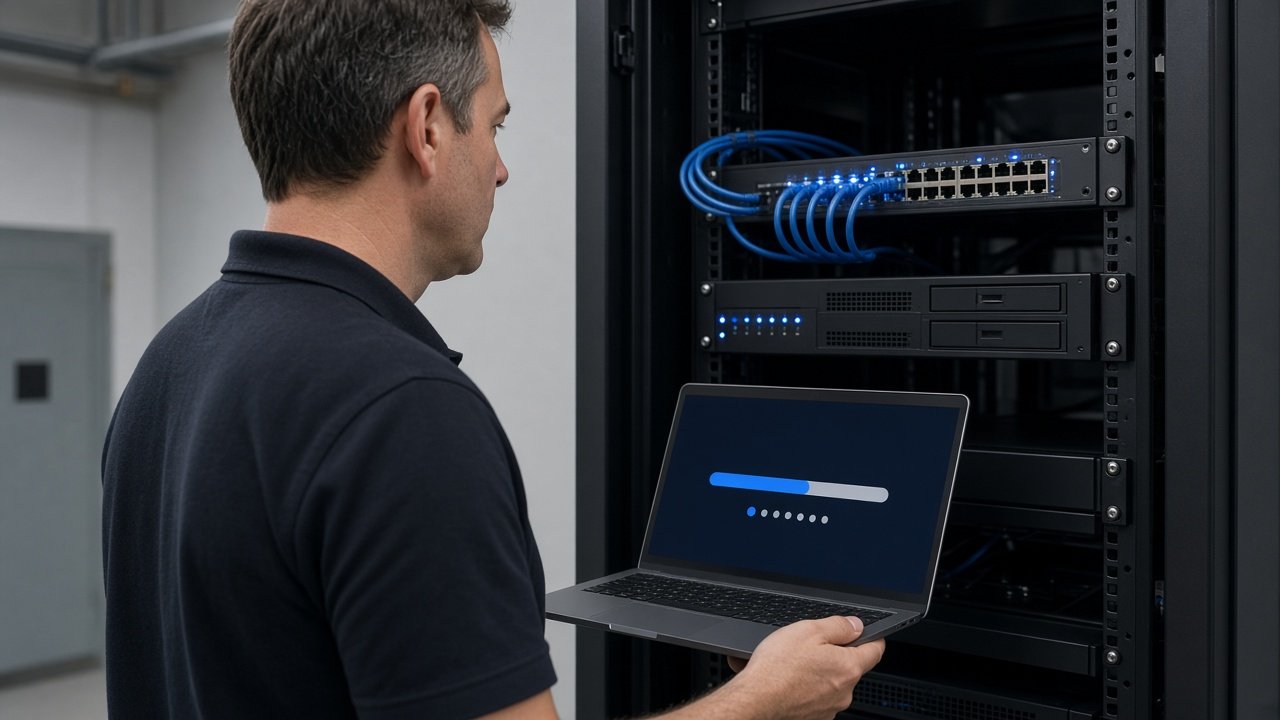
The bigger lesson: “set it and forget it” leaves cameras exposed
This flaw wasn’t caused by a weak password or a bad install. It was in a widely used software component that ships inside the camera. Every IP camera, recorder, access control panel, and intercom on your network is a small computer running software that ages. New flaws are found all the time, in the device’s own code and in the open-source parts it’s built on, such as Apache, OpenSSL, and cURL.
Many camera systems are installed, tested, and then never updated again. Years later, those cameras are still running the same firmware with every flaw found since. Manufacturers like Axis put out security updates often. But an update only protects you once it’s actually installed on your devices.
Managed, scheduled firmware maintenance changes that:
- A current device inventory. You know every camera’s model, location, and firmware version, so when an advisory like this comes out, you know right away what’s affected.
- Regular update windows. Firmware gets reviewed and updated on a set schedule, at least quarterly, so old flaws don’t pile up.
- Fast response to critical alerts. When a 9.8-rated flaw appears, workarounds and patches go out in days, not months.
- Tested updates. Updates are checked against your recorder or video management software before rollout, so recording and monitoring keep working.
- Planning for end of support. Devices nearing the end of their support period are flagged for replacement before they stop getting security fixes.
Camera system hardening checklist
- Keep cameras off the open internet. Don’t forward router ports to cameras. Use your video management software, a secure cloud service, or a VPN for remote viewing.
- Separate the security network. Put cameras and recorders on their own VLAN or network, apart from business computers and guest Wi-Fi.
- Update firmware on a schedule. Update cameras, recorders, and servers regularly, and right away when a critical advisory comes out.
- Turn off what you don’t use. Shut off services and protocols you don’t need, such as HTTP/2 for now on Axis devices.
- Use strong, unique credentials. Give every device its own admin password and limit who can get admin access.
- Monitor device health. Watch for cameras going offline, unexpected setting changes, or unusual network traffic.
- Subscribe to manufacturer alerts. Axis offers a security notification service. Your integrator should track these alerts for you.
How OnGuard can help
OnGuard Security Solutions installs and maintains commercial video systems for businesses, property managers, multifamily communities, churches, and schools across Indianapolis and Central Indiana. We’re reviewing the Axis cameras we’ve installed and applying the workaround and firmware updates as they become available. We can also check your system’s internet exposure and set up a firmware maintenance plan so you aren’t caught off guard by the next advisory.
Not sure whether your cameras are affected, or when they were last updated? Call us at (317) 572-5777 or contact OnGuard to schedule a camera security check.
NO WORRIES…We Are OnGuard!
Sources: Axis Security Advisory CVE-2026-119618 (Nov 16, 2026, v1.1) · CERT-FR CERTFR-2026-AVI-1549 · Apache HTTP Server 2.4 vulnerabilities · AXIS OS release notes